The landing page opens on Volume, Patch, Pitch and Mod. Each dial has more banks behind it: press and turn a dial to step through them. Europa has 3 banks. Where a cell lists more than one parameter, tap it on the strip to choose which one the dial turns. See dial banks.
The keys on the landing page open Europa's sections. The Groups key opens Global, Env, EnvSync, AmpEnv, LFO, ModMtx, FX and Options. Each page puts that section's controls on the four dials, labelled with the parameter names Reason gives its Remote protocol. Switch keys light up when the setting is on.
Dial 1Tune
Dial 2Oct · Semi
Dial 3Shape · Amt
Dial 4Wave · Kbd
Europa Wave I page: Back and its switch keys
From the landing keys
Page
Dial 1
Dial 2
Dial 3
Dial 4
Keys
Eng I
Osc1 Shape
Osc1 Filter Freq
Osc1 Filter Reso
Osc1 Mod1 Amt / Mod2 Amt / Harm Pos / Harm Amt
–
Eng II
Osc2 Shape
Osc2 Filter Freq
Osc2 Filter Reso
Osc2 Mod1 Amt / Mod2 Amt / Harm Pos / Harm Amt
–
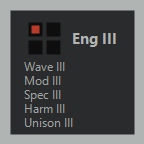
Eng III
Osc3 Shape
Osc3 Filter Freq
Osc3 Filter Reso
Osc3 Mod1 Amt / Mod2 Amt / Harm Pos / Harm Amt
–
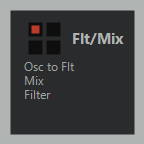
Flt/Mix
Osc1 Level / Osc2 Level / Osc3 Level
Osc1 Pan / Osc2 Pan / Osc3 Pan
Filter Drive / Reso / Freq
Filter Type / Kbd / Mod Source / Vel
RecPrevNext
Amp
Master Volume
Amp Gain
Pan
Amp Velocity
–
Inside Eng I
Page
Dial 1
Dial 2
Dial 3
Dial 4
Keys
Wave I
Osc1 Tune
Osc1 Oct / Semi
Osc1 Shape / Shape Amt
Osc1 Wave / Pitch Kbd
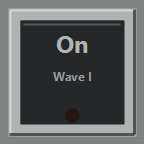
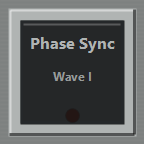
OnPhase Sync
Mod I
Osc1 Mod1 / Mod1 Amt
Osc1 Mod2 / Mod2 Amt
Osc1 Mod1 Source / Mod2 Source
Osc1 Shape Vel / Shape Source / Mod1 Mod / Mod2 Mod
Mod1 OnMod2 On
Spec I
Osc1 Filter Freq
Osc1 Filter Reso / Kbd
Osc1 Filter Mod / Vel
Osc1 Filter / Filter Source
Spec On
Harm I
Osc1 Harm / Harm Pos
Osc1 Harm Amt
–
–
Harm On
Unison I
Osc1 Spread
Osc1 Count / Blend
Osc1 Detune / Unison Mode
–
Unison On
Inside Eng II
Page
Dial 1
Dial 2
Dial 3
Dial 4
Keys
Wave II
Osc2 Tune
Osc2 Oct / Semi
Osc2 Shape / Shape Amt
Osc2 Wave / Pitch Kbd
OnPhase Sync
Mod II
Osc2 Mod1 / Mod1 Amt
Osc2 Mod2 / Mod2 Amt
Osc2 Mod1 Source / Mod2 Source
Osc2 Shape Vel / Shape Source / Mod1 Mod / Mod2 Mod
Mod1 OnMod2 On
Spec II
Osc2 Filter Freq
Osc2 Filter Reso / Kbd
Osc2 Filter Mod / Vel
Osc2 Filter / Filter Source
Spec On
Harm II
Osc2 Harm / Harm Pos
Osc2 Harm Amt
–
–
Harm On
Unison II
Osc2 Spread
Osc2 Count / Blend
Osc2 Detune / Unison Mode
–
Unison On
Inside Eng III
Page
Dial 1
Dial 2
Dial 3
Dial 4
Keys
Wave III
Osc3 Tune
Osc3 Oct / Semi
Osc3 Shape / Shape Amt
Osc3 Wave / Pitch Kbd
OnPhase Sync
Mod III
Osc3 Mod1 / Mod1 Amt
Osc3 Mod2 / Mod2 Amt
Osc3 Mod1 Source / Mod2 Source
Osc3 Shape Vel / Shape Source / Mod1 Mod / Mod2 Mod
Mod1 OnMod2 On
Spec III
Osc3 Filter Freq
Osc3 Filter Reso / Kbd
Osc3 Filter Mod / Vel
Osc3 Filter / Filter Source
Spec On
Harm III
Osc3 Harm / Harm Pos
Osc3 Harm Amt
–
–
Harm On
Unison III
Osc3 Spread
Osc3 Count / Blend
Osc3 Detune / Unison Mode
–
Unison On
Inside Flt/Mix
Page
Dial 1
Dial 2
Dial 3
Dial 4
Keys
Filter
Filter Freq
Filter Reso / Drive
Filter Kbd / Mod
Filter Vel / Type / Mod Source
–
Mix
Osc1 Level
Osc2 Level
Osc3 Level
Osc1 Pan / Osc2 Pan / Osc3 Pan
–
Osc to Flt
–
–
–
–
Osc1 to FltOsc2 to FltOsc3 to Flt
Inside Groups
Page
Dial 1
Dial 2
Dial 3
Dial 4
Keys
AmpEnv
Amp Attack
Amp Decay
Amp Sustain
Amp Release
–
Global
Key Mode / Portamento Mode
Portamento / Pitch Bend Range
Voices / OscSel
Breath Control / Aftertouch / Expression / Sustain Pedal
Select a Europa in the rack and the Reason Remote codec, installed during setup, tells the plugin which device has focus. The deck opens Europa's landing page, and values go both ways: turn a dial and Europa moves, change a control in Reason and the touch strip follows.
Europa is in both editions: free in Reason Remote Lite, which follows 8 devices, and in Reason Remote ($20), which follows all 27. The pages below are the same in both.