Guide The pages
The Piano
Play the selected track from the keys and the touch strip, in single notes or chords, with octave, velocity and gate on the dials.
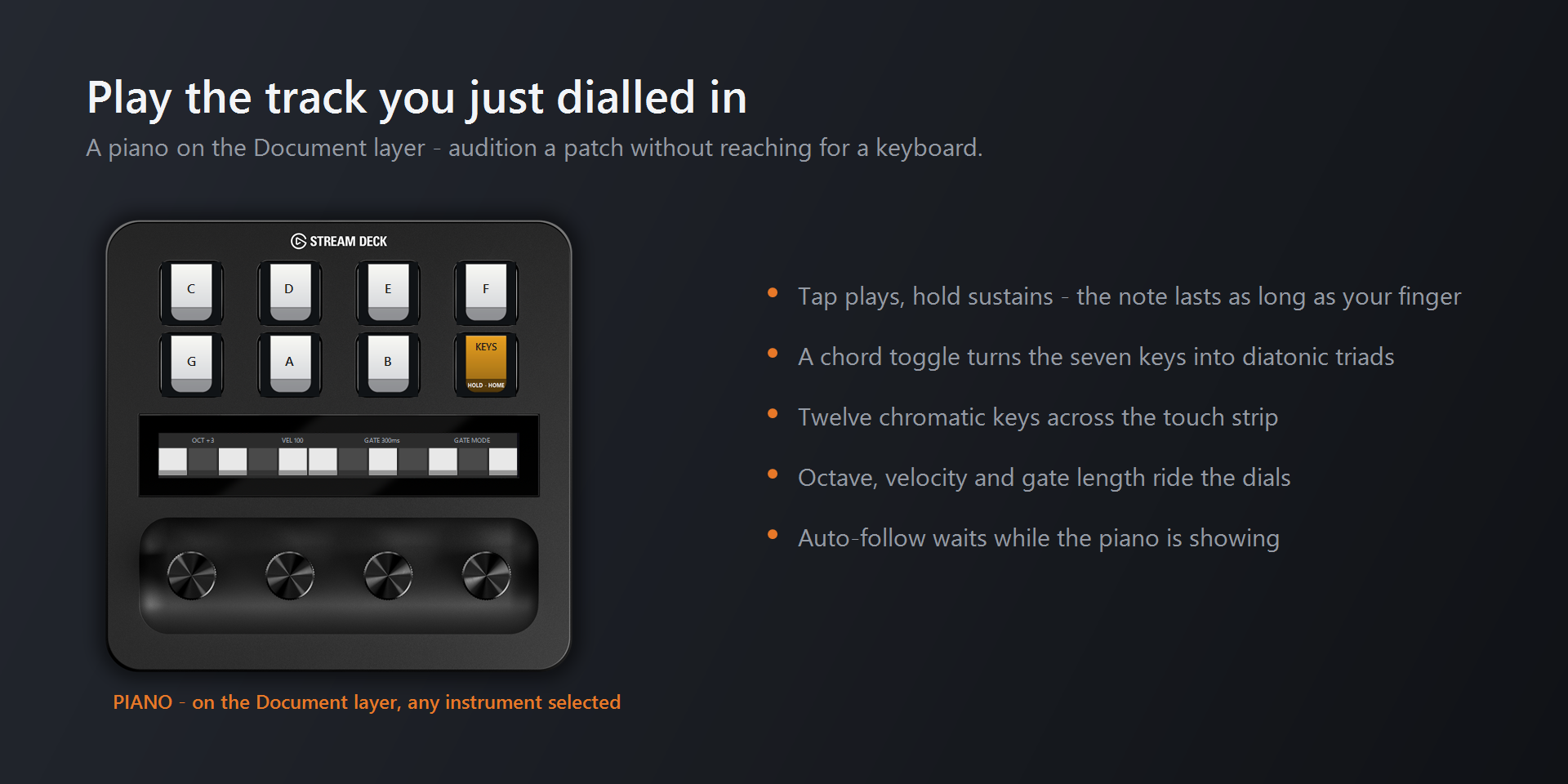
The Piano plays whichever track is selected in Reason, so you can audition a patch you just dialled in without reaching for a keyboard. It has two keyboards that share one set of settings: seven keys on the deck and twelve on the touch strip.
Open it with Piano on the Document page, or tap Piano on dial 4's strip there.
The keys#
| Key | Plays |
|---|---|
| Top row | C, D, E, F |
| Bottom row | G, A, B |
| Bottom-right | The mode key: switches between Keys and Chords |
A note sounds for exactly as long as you hold the key. The mode key's label shows the current mode.
Chords#
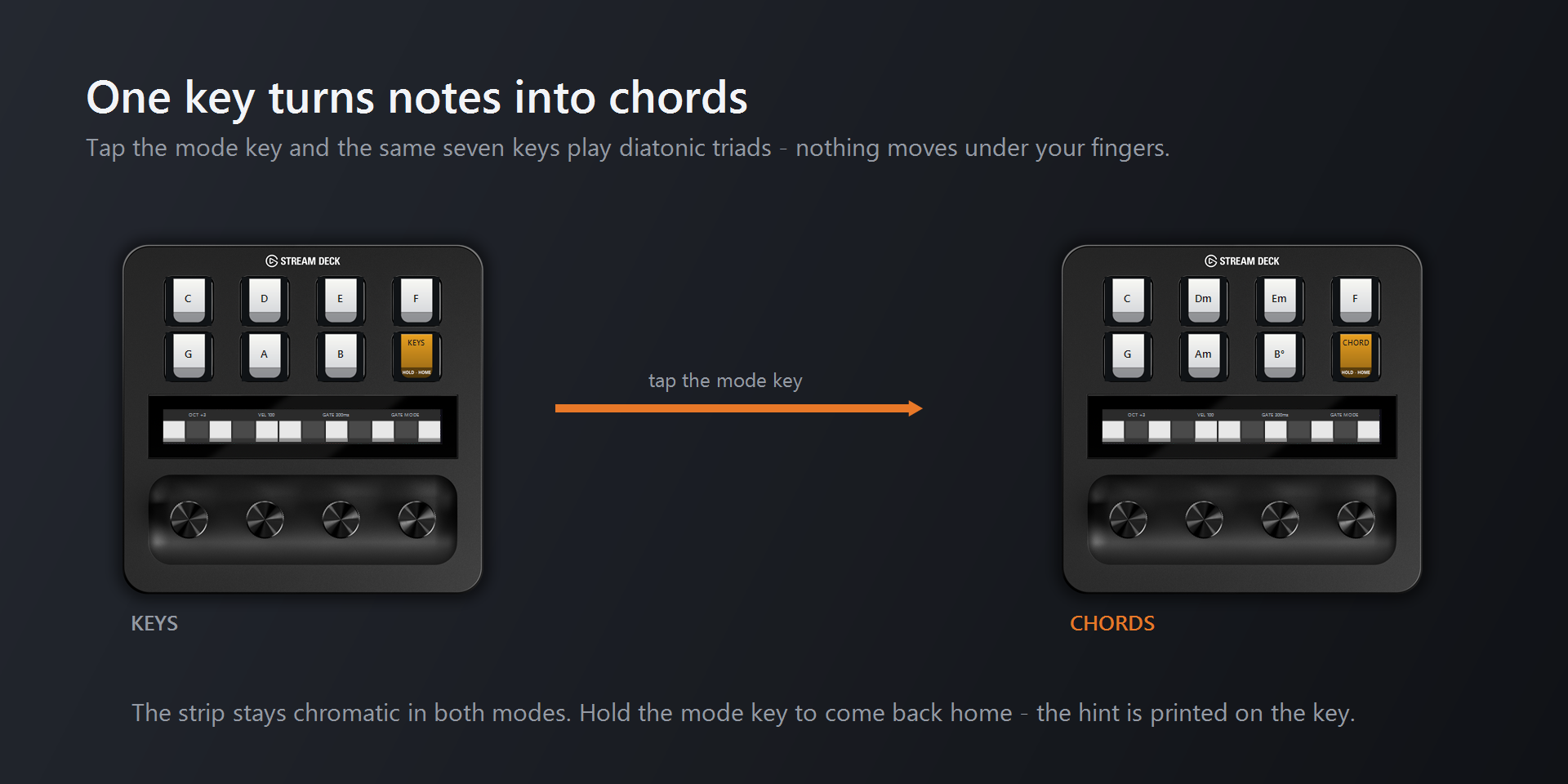
Tap the mode key to switch to Chords. The seven keys then play triads, and each key shows its chord name. By default they play the chords of C major: C, Dm, Em, F, G, Am, B°. To choose a different chord type, see dial 4 below.
Leaving the Piano#
- Hold the touch strip to go back to your instrument. A later hold on the instrument page brings you back to the Piano. See Getting around.
- Hold the mode key for 0.7 seconds to go to the Document landing page. Its label says
HOLD - HOME. This also switches the strip hold back to instrument ⇄ Document.
The touch strip#
The strip is a twelve-note chromatic keyboard, C to B, with three notes above each dial. Tap a note to play it. Notes light up while they sound, including notes you play on the keys.
The strip stays chromatic in Chords mode, so the full octave is always available.
A tap has no length of its own, so dial 4 decides how long strip notes last (see below).
The dials#
Each dial shows its setting above its three strip notes.
| Dial | Turn to change | Shows |
|---|---|---|
| 1 | Octave. Settings apply to the keys and the strip. | OCT +3 |
| 2 | Velocity, 1–127 | VEL 100 |
| 3 | Gate length for strip notes, 50 ms to 4 s | GATE 300ms |
| 4 | Gate or latch for strip notes, or the chord type | GATE MODE, LATCH |
- Octave uses Reason's numbering:
OCT +3at rest means the keys start on C3, as Reason's key editor labels it. - Gate: every strip note plays for the gate length. Latch: a tap starts a note and a second tap stops it. Latched notes keep ringing when you change octave, so you can play over a drone.
- Press dial 4 to switch what it turns: gate/latch, or chord type. The highlighted word shows which one is active.
- Chord types: diatonic (the C major chords above), major, minor, dim, aug, 7, maj7, min7, sus2, sus4 and 5 (power chord). Turning to a chord type switches the keys to Chords, and the key names follow, for example
Cm7orGsus4.
Good to know#
- Auto-follow waits while the Piano is showing. Selecting a different track in Reason doesn't move the deck, so you can pick a track and play it straight away. When you leave, you land on the track you picked.
- Nothing gets stuck. Changing octave or mode mid-note still releases the right notes. Switching gate/latch, or leaving the page, stops everything that's sounding.
- Reason's own Send All Notes Off doesn't stop notes from the Piano. Use the gate/latch switch on dial 4 instead.
- Notes go out on MIDI channel 1 through the Stream Deck+ Remote surface. Master Keyboard must be ticked for that surface in Reason's preferences.
- The Stream Deck + can't sense how hard you press, so velocity comes from dial 2.