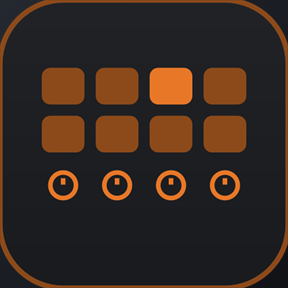
Guide The pages
The Combinator
All 32 rotaries and 32 buttons of the selected Combinator, showing only the ones the patch uses, with a patch page for browsing.
Select a Combinator in the rack and the deck follows it, like any instrument. The dials hold its rotaries and the keys hold its buttons.
A Combinator's panel is different in every patch, and Reason only gives a control surface the names Rotary 1 and Button 7. The deck shows those names until you give it a layout. Many patches get one automatically.
The Combinator page#

- Dial 1Rotary 1
- Dial 2Rotary 2
- Dial 3Rotary 3
- Dial 4Rotary 4
| Control | What it does |
|---|---|
| Dials | The rotaries, one row of the Combinator panel at a time |
| Pads | The buttons. A lit pad is on. |
| Patch | Opens the patch page |
| Layout | Shows which layout is in use. See Combinator layouts. |
| Next / Prev | More buttons, six to a page |
In Lite, the first key is Back to the hub, and the first page has four pads.
The dials#
Each dial holds eight rows of rotaries. Row 1 is Rotaries 1–4, row 2 is Rotaries 5–8, and so on down to Rotary 32.
- Press a dial to step to the next row.
- Hold and turn to sweep through the rows.
Only what the patch uses#
The deck shows only the rotaries and buttons the patch actually wires up. An Init Patch shows one row of dials and four pads. A patch that uses twelve rotaries shows three rows. It follows the patch as you browse, with nothing to set up.
A layout can override this for any control. See which controls are shown.
The patch page#
Patch opens a page for browsing patches, so you can hear them without leaving the deck.
- Dial 1Mixer Level
- Dial 2Select Patch
- Dial 3Pitch
- Dial 4Mod
| Control | What it does |
|---|---|
| Prev / Next | Previous or next patch |
| Run | Starts and stops the Combinator's pattern devices |
| Bypass | Bypass All FX |
| Dial 2 | Turn to browse patches. The strip shows the patch name. |
Good to know#
- A control nobody has touched since you selected the Combinator may show no value until you turn it. It works from the first turn, and then its value follows Reason.
- The dials and pads work with no layout file. A layout only changes what the deck shows.
- To play a patch while you browse, use the Piano and borrow the Combinator's dials.