Guide The pages
Instrument pages
How an instrument's landing page, section pages and folders are laid out, what the hubs are for, and which instruments are covered.
Every covered instrument gets its own set of pages, built by hand from that device's Remote parameters. They all follow the same pattern, so once you know one you know them all.
The landing page#
Selecting an instrument opens its landing page. The keys list the instrument's sections, and the dials hold the controls you reach for most.
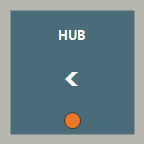
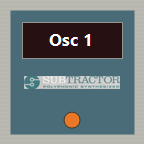
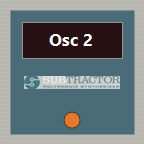
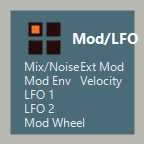

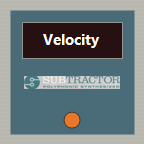
- Dial 1Master Level
- Dial 2Select Patch
- Dial 3Pitch
- Dial 4Mod
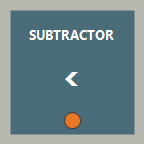
- Back (top-left) goes to the hub.
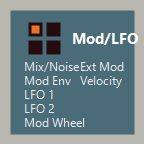
- The other keys open sections such as Osc 1 and Filter, or folders like Mod/LFO.
- The dials usually carry level, patch select, pitch bend and mod wheel. The exact set depends on the instrument: Thor's landing page, for example, puts filter drive and mix levels on its dials.
Section pages#
A section key opens that section. The dials change to its parameters, and the key row stays the same so you can jump straight to another section. The section you're on pulses.
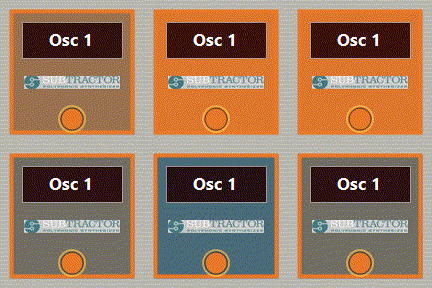
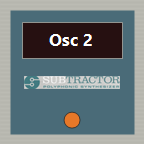
- Dial 1Wave
- Dial 2Oct · Semi
- Dial 3Cent · Mode
- Dial 4Phase · Kbd
Several dials here carry two parameters. Tap one on the strip, or press the dial, to choose which one the dial turns. See dial gestures.
Back on a section page returns to the landing page.
Folders#
When an instrument has more sections than fit on the keys, some are grouped into a folder. A folder key has a small grid icon and lists what's inside. Pressing it opens the first section inside and changes the key row to the folder's sections:
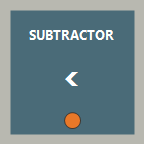
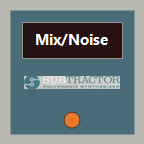
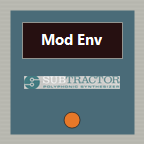
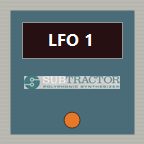
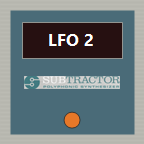
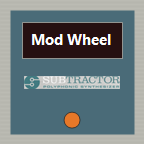
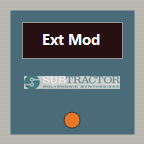
- Dial 1Mix
- Dial 2FM · Ring
- Dial 3Nz On · Nz Lvl
- Dial 4Nz Dec · Nz Col
Back inside a folder moves one level up. Press it again to reach the landing page.
Switch keys#
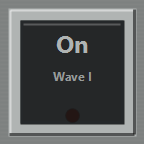
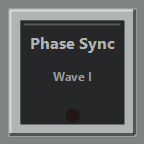
Some sections put on/off settings on the keys instead of the dials, for example an oscillator's On switch. A switch key lights up when the setting is on, and follows the setting when you change it in Reason.
- Dial 1Tune
- Dial 2Oct · Semi
- Dial 3Shape · Amt
- Dial 4Wave · Kbd
Hubs#
A hub is a page of instrument keys plus Document. You rarely need one, because auto-follow takes you straight to the instrument. The deck shows a hub when nothing Reason Remote covers is selected, for example when you click an effect or a mixer channel.
The full version groups its instruments into seven profiles, each with its own hub. Lite has one hub with all seven of its instruments. Pressing an instrument key on a hub opens that instrument's pages without selecting it in Reason, so the dials only work when that device is the one selected in Reason.
Covered instruments#
| Profile (full version) | Instruments | In Lite |
|---|---|---|
| Reason - Core | SubTractor, Friktion, Thor, Fury | SubTractor |
| RSN - Objekt, Octo, NN19, ID8, Parsec | Objekt, Dr. Octo Rex, NN-19, ID8, Parsec | ID8 |
| RSN - Kong, Redrum, Europa, Malström, NN-XT | Kong, Redrum, Europa, Malström, NN-XT | Kong, Redrum, Europa |
| RSN - Mimic, Grain, Complex-1, Polytone, Monotone | Mimic, Grain, Complex-1, Polytone, Monotone | Monotone |
| RSN - Radical Piano, Radical Keys, Algoritm | Radical Piano, Radical Keys, Algoritm | Radical Keys |
| RSN - Humana, Klang, Pangea | Humana, Klang, Pangea | |
| RSN - Umpf Club, Umpf Retro | Umpf Club, Umpf Retro |
Fury is Automate Pros' own Rack Extension. Its pages are ready for when it's released in the Reason Shop.
Effects and the Combinator aren't covered yet. Selecting one shows the hub. To ask for a device, post in Discussions.