Guide The pages
The Document page
Transport, tempo, loop and track controls that work on the whole song, whichever device is selected.
The Document page controls the song rather than one device. It has the transport, tempo and click, loop locators, track navigation and undo. It's the same in Lite and the full version.
Get there by holding the touch strip on any instrument page, or with Document on a hub. While you're on it, auto-follow waits. Selecting a track in Reason won't move the deck, but the Go key updates to show that track's device.
The landing page#
- Dial 1Master Level
- Dial 2Play/Stop · Rec · RW · FF
- Dial 3SongPos · RTZ · Loop · Undo
- Dial 4Piano · Click · Tap · Redo
| Key | What it does |
|---|---|
| Back | Back to your instrument, meaning the device you selected most recently |
| Prev / Next | Select the previous or next track in the sequencer |
| Mix | Open the Master mixer |
| Piano | Open the Piano |
| Go | Shows the selected device; press it to go to its pages |
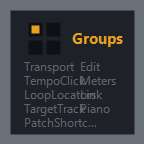
| Groups | Open the section pages below |
| Dial | Parameters |
|---|---|
| 1 | Master Level fader with a stereo meter |
| 2 | Play/Stop (one button that toggles), Record, Rewind, Fast forward |
| 3 | SongPos (song position), RTZ (return to zero), Loop on/off, Undo |
| 4 | Piano (opens the Piano), Click on/off, Tap tempo, Redo |
Tap a button on the strip to fire it. For the rest, tap or press to select, then turn.
Section pages#
Groups opens the section pages. They share one key row: Back to the landing page, six sections, and More.
- Dial 1Play · Stop · Rec · RW
- Dial 2FF · RTZ · SongPos · Bar
- Dial 3BarUp · BarDn · Beat · 16th
- Dial 4Tick · Subtick · ClrSub · TimePos
| Section | Dial 1 | Dial 2 | Dial 3 | Dial 4 |
|---|---|---|---|---|
| Transport | Play, Stop, Rec, RW | FF, RTZ, SongPos, Bar | BarUp, BarDn, Beat, 16th | Tick, Subtick, ClrSub, TimePos |
| TempoClick | Tempo, BPM | BpmUp, BpmDn | BpmDec, Tap, Click | ClkLvl, PreCnt, PreBars |
| LoopLocators | Loop, LLoop, LLBar, LLBeat | LL16, LLTick, LLSub, ClrLLS | RLoop, RLBar, RLBeat, RL16 | RLTick, RLSub, ClrRLS, GoLeft |
| TargetTrack | TrkDel, TrkPrev, TrkNext, Solo | Mute, AnySolo, AnyMute, AutoRec | Monitor, Tuner, TrkL, TrkR | TrkLP, TrkRP, TrkLClp, TrkRClp |
| PatchShortcuts | PatchD | PatPrev | PatNext, KsvDel | KsvPrev, KsvNext |
| Edit | Undo | Redo | Quant | RstAuto, AutoPerf |
What the short names mean#
| Name | Reason control |
|---|---|
| RTZ | Return to zero |
| SongPos, Bar, Beat, 16th, Tick | Song position, and its bar, beat, sixteenth and tick |
| BpmDec | Tempo decimal (fine tempo) |
| PreCnt, PreBars | Precount on/off, and number of precount bars |
| LLoop / RLoop | Left and right loop locators, with Bar, Beat, 16th, Tick and Sub(tick) parts |
| GoLeft | Go to the left locator |
| TrkDel, TrkPrev, TrkNext | Move the target track (turn), previous track, next track |
| AnySolo, AnyMute | Any track soloed or muted |
| AutoRec | Automation recording for the target track |
| TrkL, TrkR (P, Clp) | Target track meters (peak, clip). They move for audio tracks only. |
| PatchD, PatPrev, PatNext | Browse patches for the target device |
| Ksv… | Keyboard shortcut variation (select, previous, next) |
| Quant | Auto-quantize on/off |
| RstAuto, AutoPerf | Reset automation override, automation as performance controllers |
More: Meters, Link and Piano#
More opens a second row: Meters, Link and Piano. Back here returns to the Transport section.
- Dial 1AudL · AudR · InPk · OutPk
- Dial 2BigL · BigR · BigLP · BigRP
- Dial 3BigLClp · BigRClp · BigCh · BigPrev
- Dial 4BigNext · MetMode · PkHold · RstClip
- Meters shows Reason's audio input and output meters and the Big Meter. Step through Big Meter channels with BigPrev and BigNext, and reset the clip lights with RstClip.
- Link shows the Ableton Link peer count and phase.